
Description
VMO HTML to PDF Converter 2.0 is a revolutionary WordPress plugin that creates fully interactive PDF documents from any HTML content. Unlike traditional PDF converters, VMO preserves the complete functionality of your web pages — including clickable buttons, working navigation links, functional contact forms that actually send emails, parallax effects, and all interactive elements.
Imagine sending a PDF brochure where recipients can click buttons, fill out contact forms and submit them directly from the PDF, navigate through sections, and experience visual effects — all without opening a browser. This is the future of PDF documents, and it's available now.
🚀 What Makes Version 2.0 Revolutionary
Your PDFs are no longer static documents. They're fully functional mini-applications that retain all the interactivity of your website. Forms submit, buttons click, links navigate, and effects animate — all within the PDF.
Why Choose VMO HTML to PDF Converter?
- Interactive Forms — Contact forms, email forms, and input fields work inside the PDF and send data to recipients
- Clickable Buttons — All buttons retain their functionality and trigger actions
- Working Navigation — Internal links, anchor jumps, and navigation menus work seamlessly
- Visual Effects Preserved — Parallax, animations, hover states, and transitions are maintained
- Intelligent Page Breaks — Content never gets cut in half across pages; smart detection keeps elements together
- Content Alignment Options — Align content left, right, center, or full page (cover mode fills the entire page)
- Full-Page Width — PDFs utilize the entire page width for maximum impact
- True Landscape Mode — Proper landscape orientation that displays correctly in all PDF readers
- No External APIs — Everything runs on your server, fully GDPR compliant
- Developer-Friendly — Extensive hooks and filters for customization
| Version | 2.0.0 |
| Requires WordPress | 6.0 or higher |
| Tested up to | 6.7 |
| Requires PHP | 7.4 or higher |
| License | GPLv2 or later |
| Author | Jerreme Josephson LLC |
| Contributors | jerremejosephson |
| Tags | pdf, html to pdf, interactive pdf, forms, converter, export, document, invoice, report, acroforms |
Features
The most advanced HTML to PDF converter with full interactivity support.
✨ Interactive PDF Features (New in 2.0)
Forms inside the PDF actually work! Users can fill them out and submit — emails are sent directly to your specified recipients.
Buttons retain their click actions. Navigation buttons, submit buttons, and interactive elements all work.
All internal links, anchor jumps, and menu navigation work within the PDF document.
Parallax scrolling, CSS animations, hover effects, and transitions are maintained in compatible readers.
Content is never cut in half across pages. Intelligent detection keeps paragraphs, images, and sections intact.
Align content left, right, center, or full page. Cover mode makes content fill the entire page like a book cover.
📐 Full-Page Width
PDFs now utilize the entire page width — no more cramped margins. Content fills edge to edge for maximum visual impact.
🔄 True Landscape Mode
Proper landscape orientation that displays correctly in all PDF readers. Perfect for dashboards, wide tables, and panoramic content.
✂️ Intelligent Page Breaks
Content never gets cut in half across pages. Smart detection keeps paragraphs, images, cards, and sections together on the same page.
↔️ Content Alignment
Align content left, right, center, or full page (cover mode). Cover mode makes content fill the entire page like a magazine cover or book jacket.
🎨 Complete Style Preservation
100% CSS fidelity — colors, fonts, gradients, shadows, borders, and complex layouts are perfectly preserved.
📧 Email Form Integration
Contact forms in PDFs send emails to specified recipients when submitted. Perfect for lead generation documents.
🖼️ Rich Media Support
Full support for images (PNG, JPG, GIF, SVG), embedded videos, and audio files in compatible readers.
🔒 Advanced Security
Password protection, permission controls, and digital signatures for secure document distribution.
📄 AcroForms Technology
Industry-standard PDF forms that work in Adobe Acrobat, Preview, Chrome, and all major PDF readers.
⚡ One-Click Conversion
Convert any page, post, or custom HTML to interactive PDF with a single click. No complicated settings.
🔧 Developer APIs
Extensive hooks, filters, and REST API endpoints for complete customization and integration.
📱 Cross-Platform
Generated PDFs work on Windows, Mac, iOS, Android, and web browsers. Universal compatibility.
🏷️ Custom Templates
Create reusable PDF templates with headers, footers, watermarks, and page numbers.
📊 Analytics Ready
Track form submissions and link clicks from your PDFs in your WordPress dashboard.
Screenshots
See VMO HTML to PDF Converter in action.
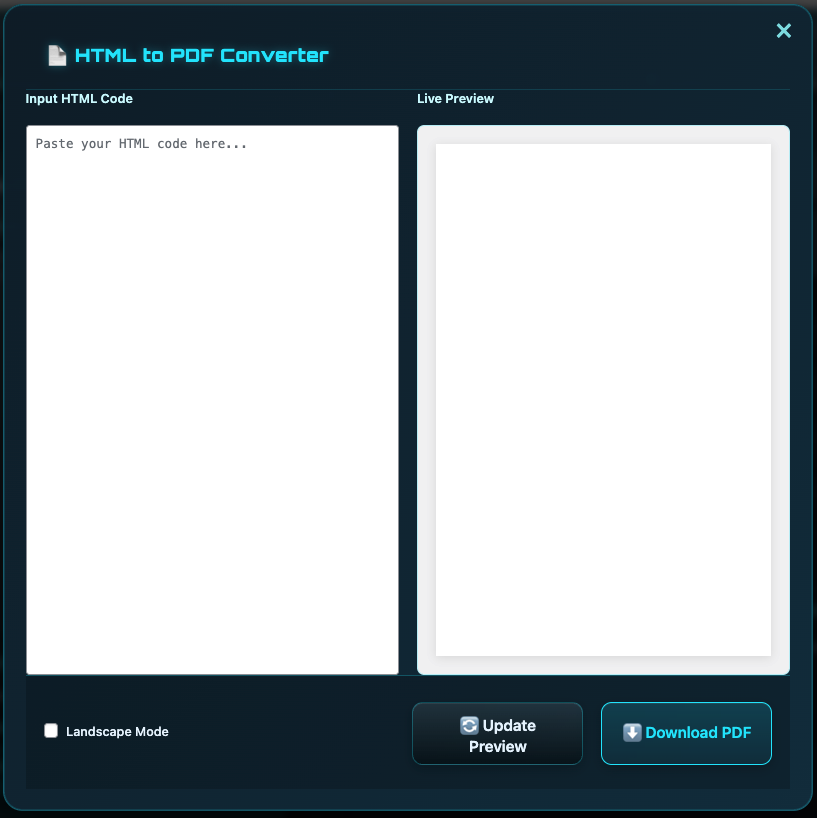
Screenshot 1: The main plugin interface showing conversion options and settings.
Installation
Follow these simple steps to install VMO HTML to PDF Converter on your WordPress site.
Automatic Installation (Recommended)
- Log in to your WordPress admin dashboard
- Navigate to Plugins → Add New
- Search for "VMO HTML to PDF Converter"
- Click Install Now and then Activate
Manual Installation
- Download the plugin ZIP file from the download section below
- Log in to your WordPress admin dashboard
- Navigate to Plugins → Add New → Upload Plugin
- Choose the downloaded ZIP file and click Install Now
- After installation, click Activate Plugin
FTP Installation
- Download and extract the plugin ZIP file
- Upload the
vmo-html-to-pdf-converterfolder to/wp-content/plugins/ - Activate the plugin through the WordPress Plugins menu
Basic Usage
After activation, you can use the plugin in several ways:
Shortcode:
PHP Function:
Gutenberg Block:
Search for "PDF Download" in the block inserter to add a PDF download button to any post or page.
Frequently Asked Questions
Common questions about VMO HTML to PDF Converter.
How do interactive forms work inside the PDF?
Will buttons and navigation actually work in the PDF?
What about parallax and visual effects?
How does full-page width work?
Is landscape mode truly landscape?
Will my content get cut in half across pages?
page-break-before and page-break-after properties.
What are the content alignment options?
Which PDF readers support interactive forms?
Can forms send to multiple email addresses?
Does this plugin require any external API?
What are the server requirements?
Can I track form submissions?
Does it work with Contact Form 7 / WPForms / Gravity Forms?
Where can I get support?
Changelog
Version history and release notes.
- NEW: Interactive PDF forms with AcroForms technology
- NEW: Working contact forms that send emails from within the PDF
- NEW: Clickable buttons with preserved actions
- NEW: Functional navigation links and anchor jumps
- NEW: Intelligent page breaks — content never cut in half across pages
- NEW: Content alignment options: left, right, center, and full page (cover mode)
- NEW: Full-page width output option (edge-to-edge content)
- NEW: True landscape orientation with proper dimensions
- NEW: Visual effects preservation (parallax appearance, animations)
- NEW: Form submission tracking dashboard
- NEW: Multi-recipient email routing for forms
- NEW: REST API endpoints for programmatic PDF generation
- NEW: Integration with Contact Form 7, WPForms, Gravity Forms
- IMPROVED: CSS rendering engine for 100% style fidelity
- IMPROVED: Memory optimization for large documents
- IMPROVED: Cross-platform compatibility testing
- FIXED: Various edge cases with complex layouts
- Initial public release
- HTML to PDF conversion with full CSS support
- Gutenberg block for easy PDF button insertion
- Shortcode support for posts, pages, and widgets
- Custom header and footer templates
- Page numbering options
- Multiple page size support (A4, Letter, Legal, etc.)
- Portrait and landscape orientation
- Custom margin settings
- Password protection for PDFs
- Image embedding support (PNG, JPG, GIF, SVG)
- Custom filename configuration
- Developer hooks and filters
- WooCommerce compatibility
- WPML and Polylang compatible
- Full translation support with .pot file
Upgrade Notice
2.0.0 — Major Update
This is a major release introducing interactive PDF capabilities. Your PDFs can now include working forms, clickable buttons, and functional navigation. Recommended for all users who want to create engaging, interactive documents.
1.0.0
Initial release of VMO HTML to PDF Converter with full HTML/CSS conversion support.
Download VMO HTML to PDF Converter 2.0
Get the plugin for free and start creating fully interactive PDF documents with working forms, clickable buttons, and functional navigation.
🌟 Now featuring: Interactive forms that send emails • Smart page breaks (no cut content) • Alignment options (left, right, center, cover) • Full-page width • True landscape mode • Preserved visual effects
Version 2.0.0 • Released January 10, 2026
Requires WordPress 6.0+ and PHP 7.4+
Licensed under GPLv2 or later
Support & Documentation
Need help with VMO HTML to PDF Converter? We're here to assist you.
📚 Documentation
Comprehensive guides and tutorials to help you get the most out of the plugin.
Installation Guide → | FAQ →